Your customers should see your brand, not the vendor's
Anyone running IT for several customers, companies or locations faces the same four questions. Whose name is on the interface? How do organisations stay separate? How do several locations fit into one installation? And who may do what? COD answers all four at the level on which every module is built.
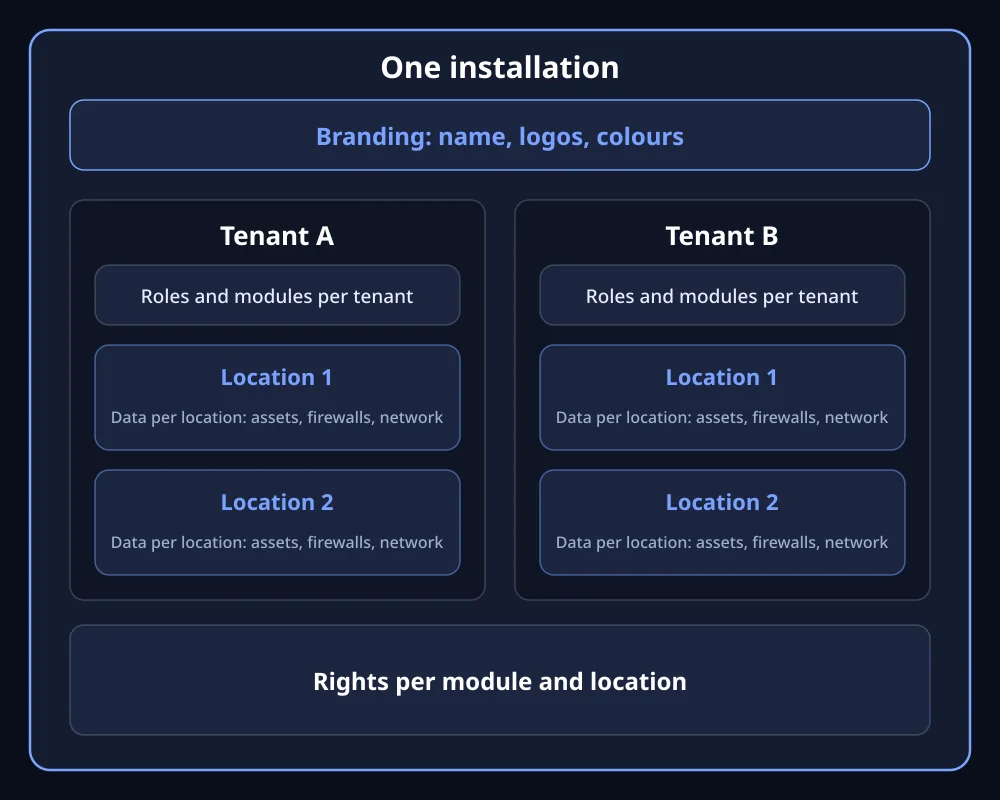
Our own diagram: branding applies per installation, tenants and locations sit below it.
Sound familiar?
Your customers see the vendor's brand, not yours
The pain: You run your customers' IT professionally, but every tool carries a vendor's name.
The consequence: You help build someone else's customer loyalty. Every small adjustment becomes a ticket with a third party.
How COD solves it: Under Admin Area > Branding you set the short and full application name, the top bar text and the colours of the loading screen and QR codes. Three logos can be set freely: top bar (also the browser icon), login page and the centre of the QR codes, as PNG, JPEG or SVG up to 1 MB. Branding applies per installation.
A separate system for every customer, and the operating effort that goes with it
The pain: In many tools, several customers or companies mean several installations. Each needs to be maintained, updated and backed up.
The consequence: Operating effort grows with every customer.
How COD solves it: A tenant is an organisation. It has its locations, its roles and its users, plus its connection to Active Directory or LDAP. Which modules it has is set per tenant and decides which menus exist. Tenants are separated logically and in their access rights. Only a SuperAdmin may move an asset across a tenant boundary. Hosts and problems of a shared Zabbix server are separated through the host groups released per location.
Ten locations, and each sees the devices of all the others
The pain: A company with several plants or branches has its own devices at each site and often its own IT. Tools that throw everything into one list overwhelm the branch office.
The consequence: Either everyone sees everything, or isolated solutions emerge with no shared view.
How COD solves it: Nearly every record belongs to a location: assets, firewalls, network devices, calendar, tasks. You switch at the top of the screen. The switch can also change which modules exist, because that is resolved per location. Some things apply across the installation, such as branding and asset names.
Rights in levels, and the right level never exists
The pain: Many tools only know a ladder from reader to administrator. Anyone who wants to allow a colleague to export without letting them delete finds no suitable level.
The consequence: Too many accounts have too many rights. In an audit, that is an obvious finding.
How COD solves it: A role belongs to a tenant, and rights apply per module and per location. There are five individual rights: create, read, update, delete and export. They can be combined freely. Without read rights, the menu item does not exist for that user. Each role can carry its group from Active Directory and require a second factor. There is no right on a single device.
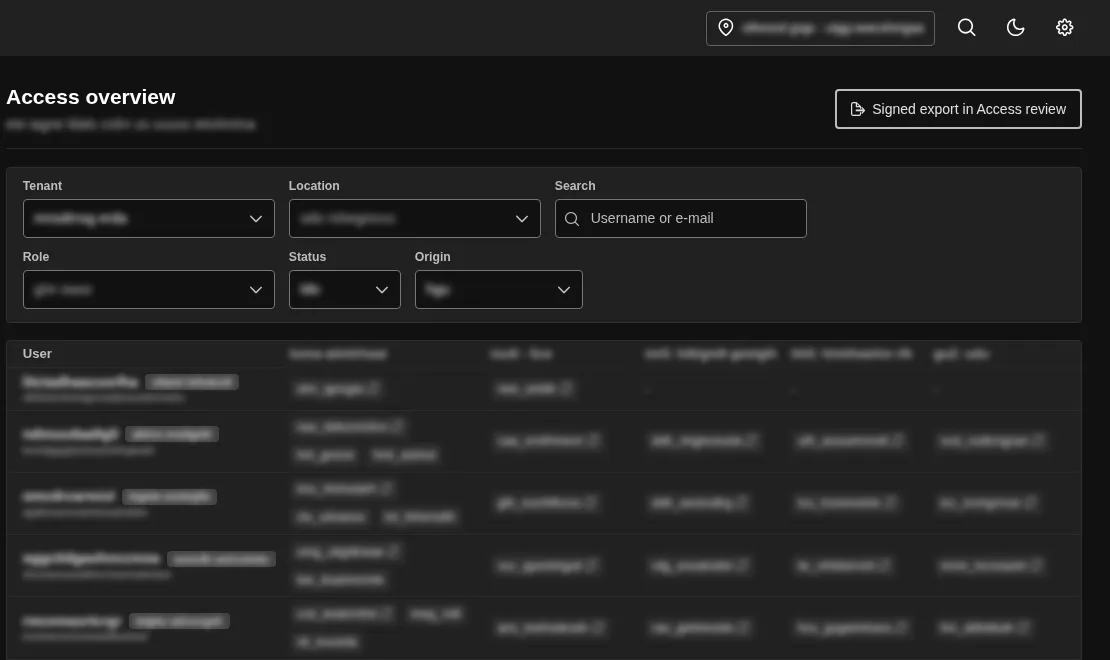
Access overview in a real instance, COD 3.8. Data made unrecognisable.
Why this is more than a setting
Tenants, locations and rights are the level in COD on which every module is built. That is why one switch in the top bar filters almost every module, and the same rights apply in Network, in GRC and in the global search. Branding also applies on the login page and the loading screen, so before anyone logs in. Only the Manager role may change it. Accounts are locked with a reason so that the trail is kept, and the scheduled check against Active Directory locks anyone no longer in the access group.
Frequently asked questions
See tenants, locations and roles
You can see the location selection and the rights in the open demo. We show you the branding in person, as the Admin Area is not enabled in the demo.