A five-minute network change turns into a whole afternoon of clicking?
With standard vSwitches you create every port group on every ESXi host individually: host by host, VLAN ID and teaming by hand every single time. COD rolls out standard vSwitches and port groups across multiple hosts and clusters in one go, with dry run and audit log, multi-tenant and on-premises.
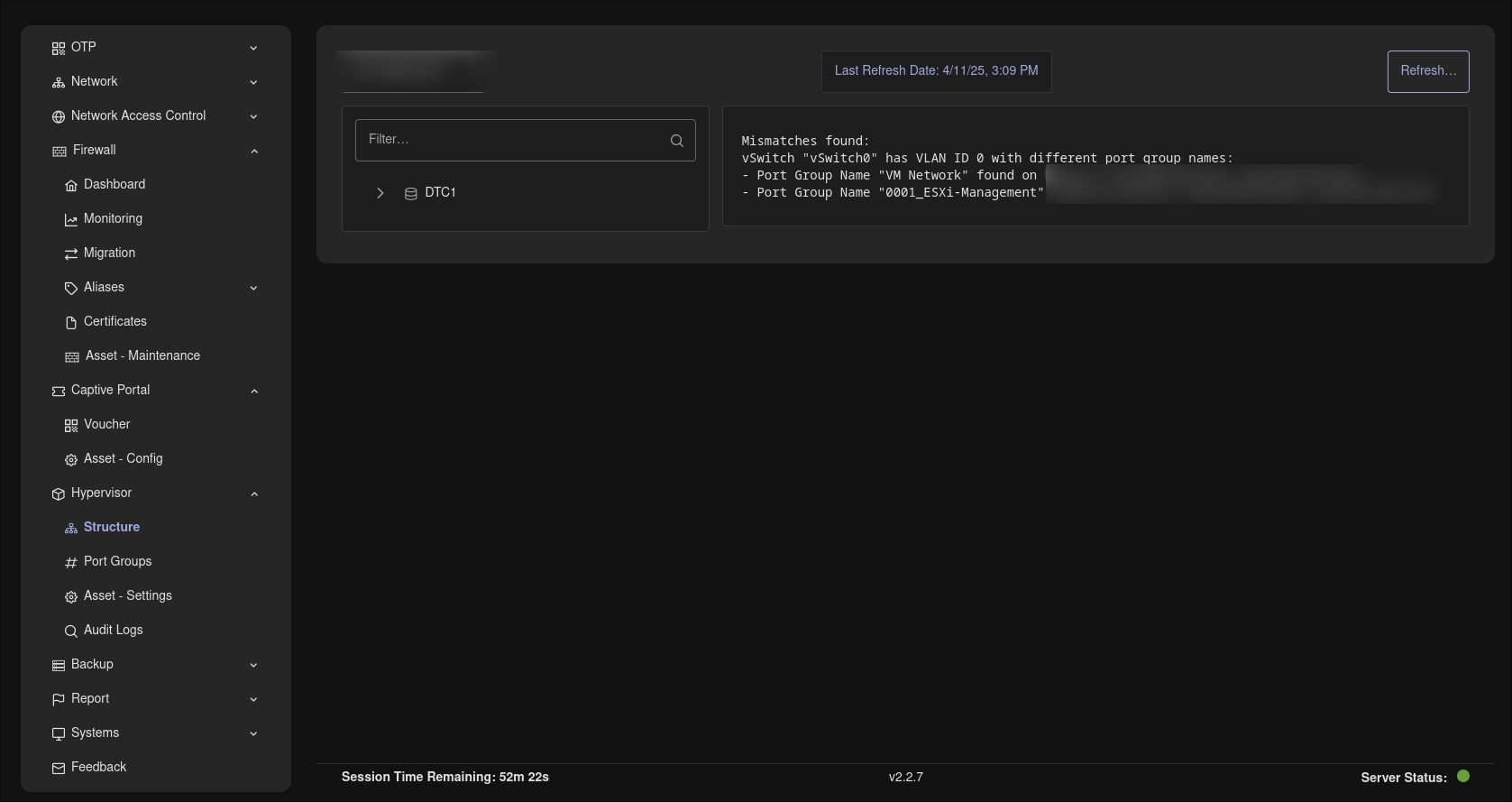
Hypervisor structure with automatic detection of port group mismatches.
Know the feeling?
Cluster hopping: creating every port group on every host individually
The pain: In environments with standard vSwitches, every new port group, say for a new VLAN, has to be created on every ESXi host individually: open the vSphere Client, click through host by host, VLAN ID and NIC teaming by hand every time.
The consequence: A time sink with every network change, and every manual step is an opportunity for typos. A forgotten host often only shows up when a VM is supposed to land there and the network is missing.
How COD solves it: The module creates standard vSwitches, optionally with bundled physical NICs, and port groups across multiple hosts and clusters at once. Changing and deleting is just as central. The vCenter inventory shows datacenters, clusters, hosts, networks and pNICs up front, so you see where the rollout is going.
Same VLAN ID, different name: creeping drift between hosts
The pain: Historically grown clusters, several admins, everything by hand: the same VLAN ID is called "VLAN20_Server" on one host and "Server-VLAN" on the next. In the vSphere Client this never stands out. Whoever wants to check exports lists and compares names in Excel.
The consequence: A classic source of errors in migrations: VMs land in the wrong network, or a move fails because the identically named network is missing on the target host, and troubleshooting drags on.
How COD solves it: The VLAN name mismatch detection automatically reports when the same VLAN ID is carried under differing port group names on identically named vSwitches across hosts. The vCenter inventory makes the actual topology visible, instead of you clicking through host by host.
Network changes on production hosts: live, no trial run, no evidence
The pain: Changes to vSwitches and port groups take effect directly in production. Delete the wrong port group or mistype the VLAN ID and you take running VMs off the network instantly. Afterwards it is hard to prove who changed what and when.
The consequence: Outage risk with every change outside the maintenance window. The missing change history quickly becomes a finding in NIS2 and KRITIS audits.
How COD solves it: The dry run is active by default: you simulate creating, changing and deleting safely before the change is rolled out. Every executed change lands in the audit log, with type, data sent and returned, timestamp and user. Access is protected by roles.
Why COD, not just a feature
The hypervisor module is part of the same platform on which you manage your infrastructure anyway: role-based, multi-tenant and on-premises. You connect multiple vCenters through multiple central accesses and control them in one place. Dry run and audit log are not an add-on tool but built into the rollout: simulate first, then roll out, everything verifiable.
Frequently asked questions
Virtual networks centrally under control.
Request a live demo - we'll show you the Hypervisor module hands-on in your own environment, with no sales pressure - or download the datasheet with all the facts in compact form as a PDF.