A central password vault. But does the server see your secrets in plain text?
Admin passwords and API keys scattered across notes, spreadsheets and chats are a permanent gap. And a vault whose server knows the plain-text secrets merely relocates the risk. Stronghold is the end-to-end encrypted vault right inside COD: encryption happens in the browser, the server stores only ciphertext. New in COD 3.6 and shipped to production, multi-tenant and fully on-premises.
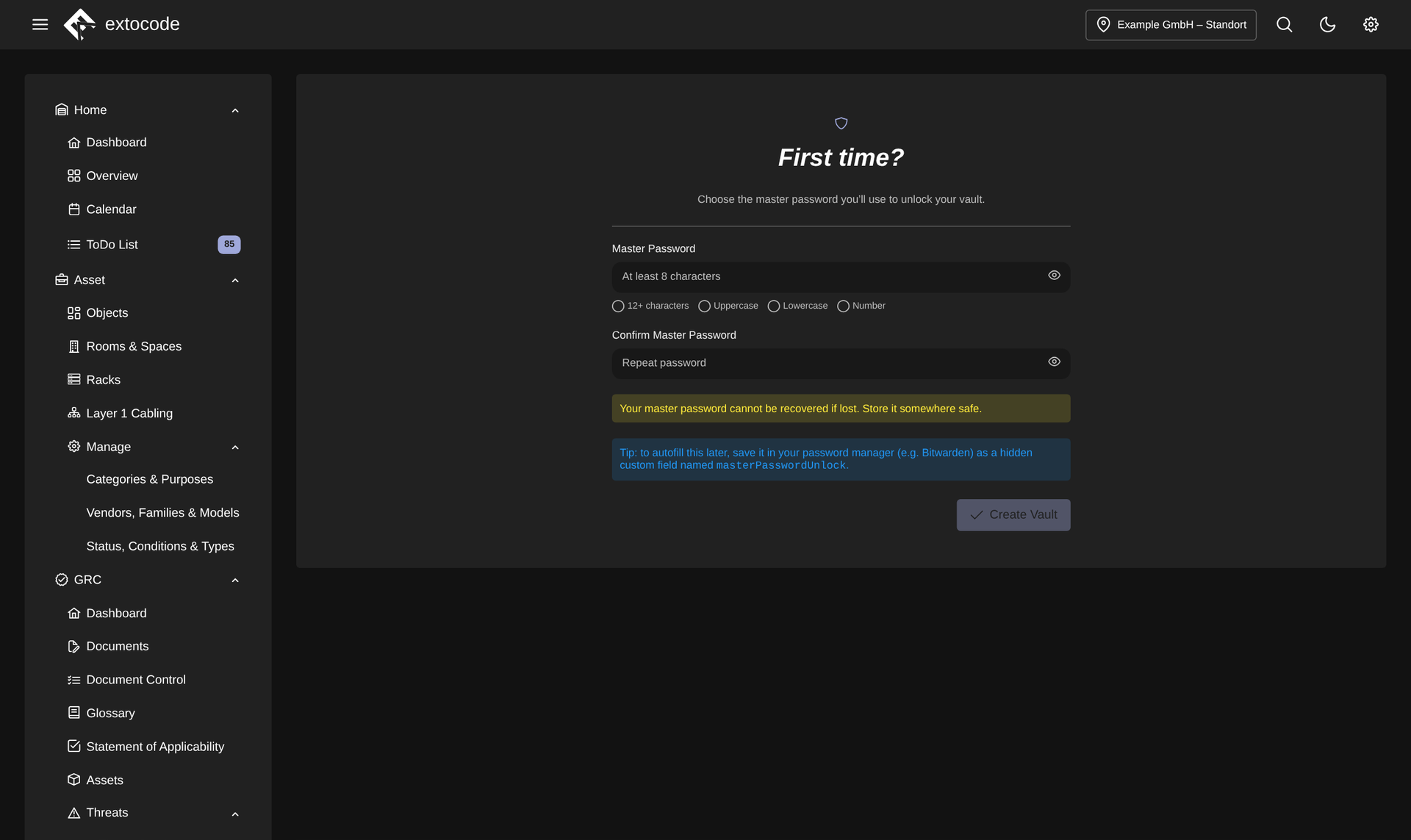
Zero knowledge from the first minute: on first start the user sets their master password. It never leaves the device. The server stores only ciphertext.
Know the feeling?
Credentials scattered everywhere, and a vault that knows the secrets itself
The pain: In many teams, admin passwords, API keys and maintenance credentials lie scattered across notes, spreadsheets and chats. Where a central service exists, the question arises: does the server see the plain-text secrets? Could an administrator or an attacker with server access read them out?
The consequence: Scattered credentials are a permanent security and findability gap, and a vault with server-side plain text merely concentrates the risk in one place. In an ISO 27001/NIS2 context, both are hard to justify.
How COD solves it: Stronghold is the end-to-end encrypted vault right inside COD: encryption happens in the browser (Argon2id, X25519 sealed box, AES-GCM), master password and private keys stay exclusively on the device. The server stores only ciphertext. Even the link between an entry and an asset lives inside the encrypted blob. It runs behind the COD backend proxy with permission logic, logging and rate limiting, multi-tenant and on-premises.
Passwords via copy-paste: in plain text on the clipboard
The pain: Without browser integration, password use runs through copy-paste: open the vault, find the entry, copy, paste. The password lands in plain text on the clipboard, easily gets pasted into the wrong application, and on a phishing page the wrong address goes unnoticed.
The consequence: Copy-paste is cumbersome and risky at the same time: the clipboard is readable by other programs. In everyday work, the friction tempts people to note passwords insecurely again after all.
How COD solves it: The browser extension for Chrome and Firefox securely attaches each device via device pairing. If the administrator revokes a device, it is cleanly wiped. In-page autofill fills credentials field by field into the real login form, via overlay or keyboard shortcut, and only when it actually is a login form, with no detour through the clipboard. A popup with a searchable vault list and live TOTP is included.
Access jams during vacation: shared secrets tied to a single person
The pain: For jointly used access such as firewall administration, hosting portals and the domain registrar, the team needs a shared secret. In practice it sits with one person or gets passed around via chat. If that person is on vacation, sick or has left, access jams exactly when it is needed.
The consequence: Lock-out risk for the very systems that must be reachable quickly in an incident, plus an accountability problem: who has access, and does it ever expire? Passed-around secrets stay in circulation uncontrolled.
How COD solves it: Alongside personal vaults there are shared team vaults with the roles OWNER and MEMBER. The last owner is protected. Individual entries can be shared across users, with read or write permission and an expiry date, public-key encrypted. If access is revoked, a rekey for the remaining members follows automatically. A shared access no longer hangs on a single person's device.
Why COD, not just a feature
Stronghold is not yet another third-party tool next to COD, but the vault right inside the platform: zero knowledge at its core, behind the COD backend proxy with its permission logic, audit log and rate limiting. The server sees only ciphertext, never the secrets. Scattered credentials come together in one place without that place becoming the new point of entry. Multi-tenant and fully on-premises.
Frequently asked questions
See Stronghold live
Request a live demo and see Stronghold hands-on in your own COD environment, or download the datasheet with all features compactly on one page.