Can you still say who knows your guest Wi-Fi password by now?
A single guest password on a note at reception gets photographed and passed on, with no link to any guest. For your firewalls from OPNsense, COD creates individual guest vouchers with QR code, validity and automatic expiry, in bulk in one step. All of it can be delegated and is multi-tenant, as Self Hosted, Shared Hosted or Private Hosted.
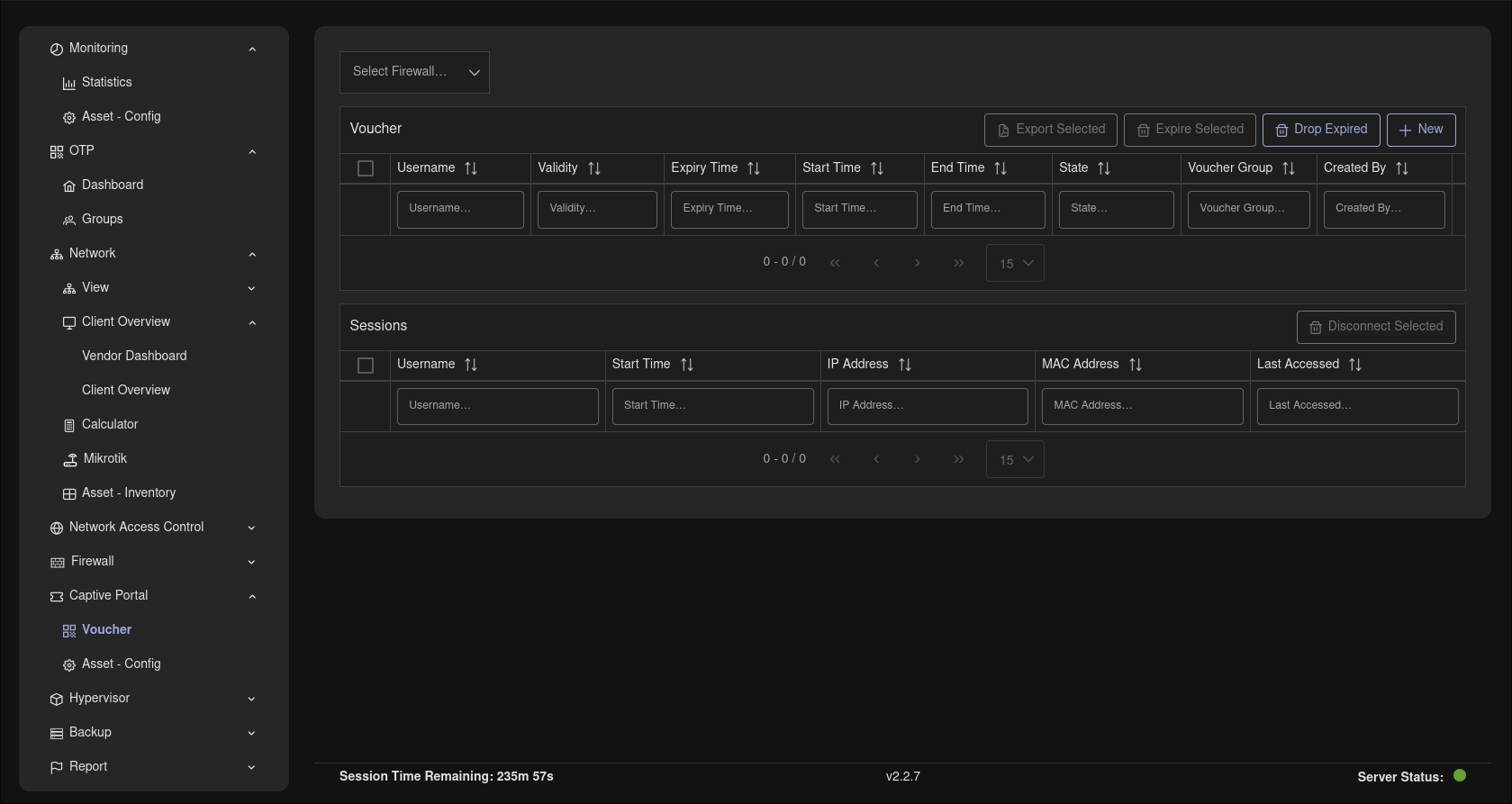
Captive portal: voucher and session management for guest access.
Know the feeling?
One Wi-Fi password for everyone, and it's stuck to the whiteboard
The pain: In many organizations there is exactly one guest Wi-Fi password at reception or on the whiteboard. It gets photographed and passed around, and nobody can say who knows it. The alternative: creating vouchers one by one in the firewall interface before every event and printing slips.
The consequence: A permanent shared password is an open flank with no link to the guest. And creating access one by one before every appointment is a recurring time sink, with typing errors thrown in.
How COD solves it: You generate any number of individual guest vouchers per firewall in one step, with validity period, expiry time and group label. Every voucher comes with QR codes for guest login and Wi-Fi join via SSID, plus a print-ready PDF, individually or in bulk. The guest scans instead of typing codes.
Every guest access turns into an IT ticket
The pain: The visitor stands at reception and needs Wi-Fi. But only IT may create the access, because that would mean someone logging into the firewall. So a ticket is raised, an admin interrupts their work, the guest waits.
The consequence: Recurring micro-tickets tie up admin time for a task that belongs at reception. And the workaround "firewall access for everyone" would be a serious security risk.
How COD solves it: The module separates read, create, change and delete rights, so you can delegate guest management to reception, for example, without admin rights and without a detour via IT. The voucher passwords are stored encrypted in the COD database, and all of it is multi-tenant.
Zombie accounts: nobody cleans up expired guest access
The pain: Guest access gets created when visitors are at the door, but almost never removed again. After months, old vouchers from long-past appointments pile up in the firewall, and cleanup keeps slipping down the list in day-to-day business.
The consequence: Old access that stays valid longer than intended is an avoidable abuse risk. And the audit question of who has access to the guest network has no reliable answer.
How COD solves it: Every voucher gets a validity period and expiry time and expires on the firewall by itself. You invalidate expired vouchers immediately via "Expire" or "Drop Expired", and a nightly run additionally cleans up the database automatically. Forgotten zombie accounts never come into being in the first place.
Why COD, not just a feature
The captive portal is part of the COD platform. The voucher configuration is attached to the firewall asset and appears there in the References tab. You manage guest vouchers for several firewalls centrally, with finely separated rights, so the right person does the job without access to the inside of the firewall. Expiry and nightly clean-up are built in. COD runs as Self Hosted, Shared Hosted or Private Hosted.
Connected with
Firewall: the configuration sits on the asset
The voucher configuration belongs to the firewall asset.
Asset: visible in References
In the firewall's References tab, the voucher configuration sits next to the Zabbix host and tasks.
Global search
Vouchers are among the sources of the global search. The result opens the record.
See it in the demo. The interface is in English, the data belongs to a fictional company.
Frequently asked questions
See the captive portal live
Request a personal walkthrough or download the datasheet, and we'll show you the captive portal module hands-on in your own environment.