Phone lost, account locked. Only someone with database access can reset the second factor.
When the 2FA reset runs through the development team and the production database, the user cannot work and the ticket ties up specialists. COD manages TOTP one-time passwords centrally: one-click reset for managers, self-service for users, without touching the database. Multi-tenant, on-premises.
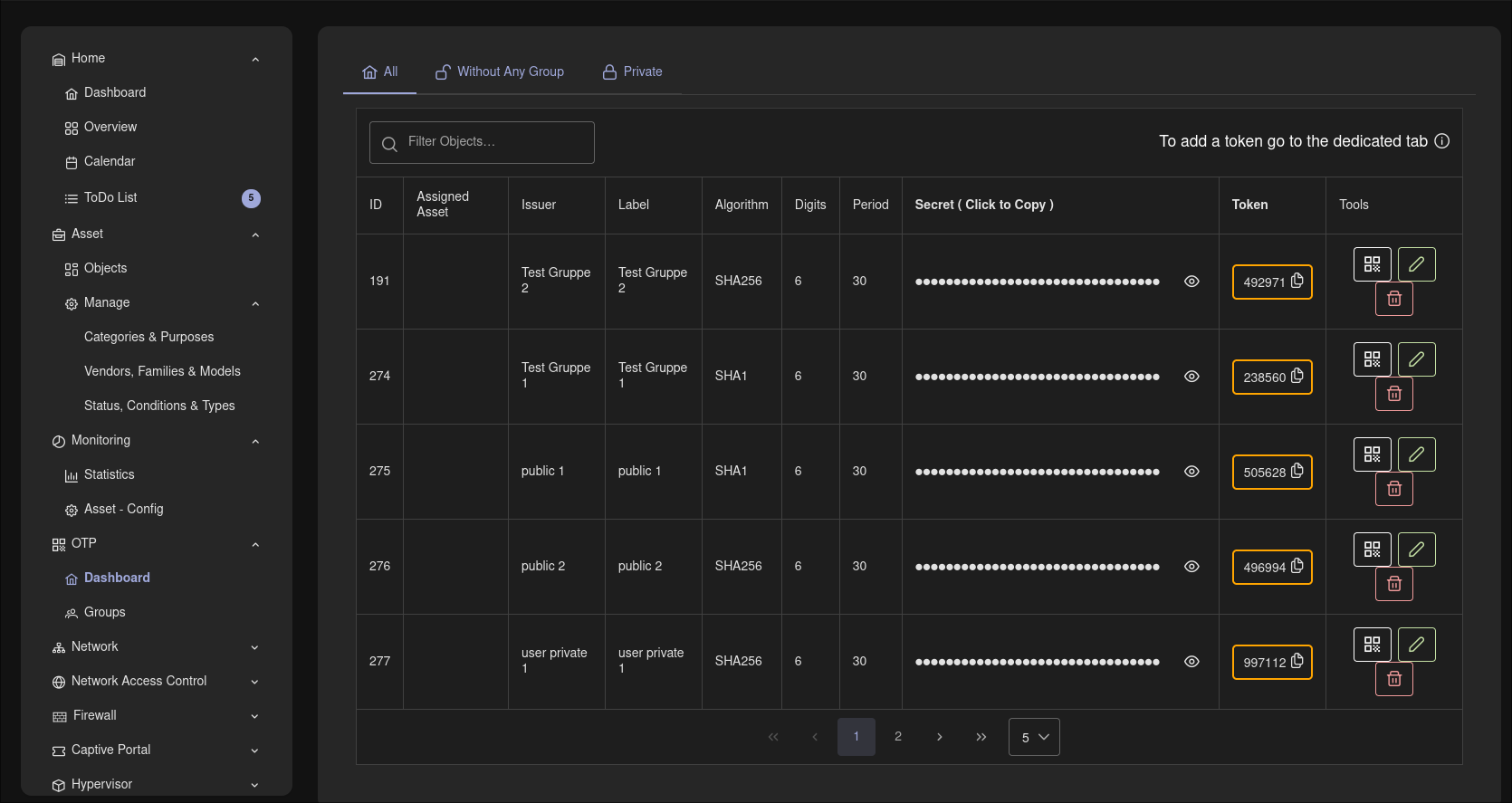
OTP dashboard: central management of TOTP tokens.
Know the feeling?
A lost phone, a locked account, and the reset goes through the database
The pain: An employee loses their smartphone, the authenticator app is gone, the account is locked. The helpdesk cannot help, because only someone with direct database access can reset the second factor. The ticket escalates all the way to the development team, which edits the production DB by hand.
The consequence: The user cannot work until the reset, the ticket ties up first level and specialists, and every manual intervention in the production DB is an outage and error risk without a clean process.
How COD solves it: In the COD OTP module, one click on "Reset OTP" in the user view is all managers and admins need, with no database intervention at all. Users restore their OTP themselves via self-service in their own settings, or activate it on their own if their role allows it. That relieves the first level and makes risky DB resets unnecessary.
Rolling out 2FA means creating every token by hand, one by one
The pain: When 2FA is to be introduced for a whole department, the admin creates every token individually: generate the secret, type in the parameters, transmit it securely, help with the setup. For nearly identical setups the same configuration gets clicked together again and again, and every typo means a token that does not work.
The consequence: The rollout drags on, ties up admin time with busywork and produces avoidable errors. In the worst case the 2FA introduction gets postponed, and accounts stay protected by a password alone for longer.
How COD solves it: OTP groups support the rollout, and QR enrollment replaces typing out secrets during setup on the user's device. For recurring setups there is the copy function: select an existing entry, copy it, adjust the fields, save. A new entry is created with a randomly generated secret, based on the proven configuration.
Several tenants, AD accounts, unclear responsibilities
The pain: As an IT service provider or municipality you manage 2FA for separate tenants, plus Active Directory users whose 2FA has so far been handled separately. Who may create or reset tokens for which tenant is not cleanly mapped anywhere. When in doubt, the central admin has full access everywhere.
The consequence: Unclean permissions are a security and audit risk, and every special case creates extra manual work and tickets. The administration does not scale with the number of tenants.
How COD solves it: The COD OTP module is multi-tenant and role-based from the ground up: managers and admins manage and reset exactly the OTPs they are responsible for. Active Directory users too manage their OTP directly in their own settings. On top of that, OTP management is moving into Stronghold, the secrets management integrated in COD: existing tokens are taken over automatically the first time the vault is opened (new in 3.6), and until the clean rollout the OTP module keeps running unchanged as a fallback.
Why COD, not just a feature
In COD the second factor sits in the same multi-tenant role model as the rest of the platform: reset and administration move out of the database into clear responsibilities, AD users included. That is clean for audits and scales with the number of tenants. The path into Stronghold closes the bridge to the secrets management integrated in COD: the migration is live, without anything being dropped today.
Frequently asked questions
See the OTP module live
Request a live demo and we'll show you the COD OTP module hands-on with no sales pressure, or download the datasheet for the COD OTP module.