Do your users notice the VPN outage before your IT does?
Nobody systematically checks whether a tunnel is up. The outage only surfaces when the branch office can no longer reach the ERP. COD brings AIMdefense, OPNsense, pfSense and DynFi together on one interface, with status and reachability monitoring across all sites. On-premises, multi-tenant.
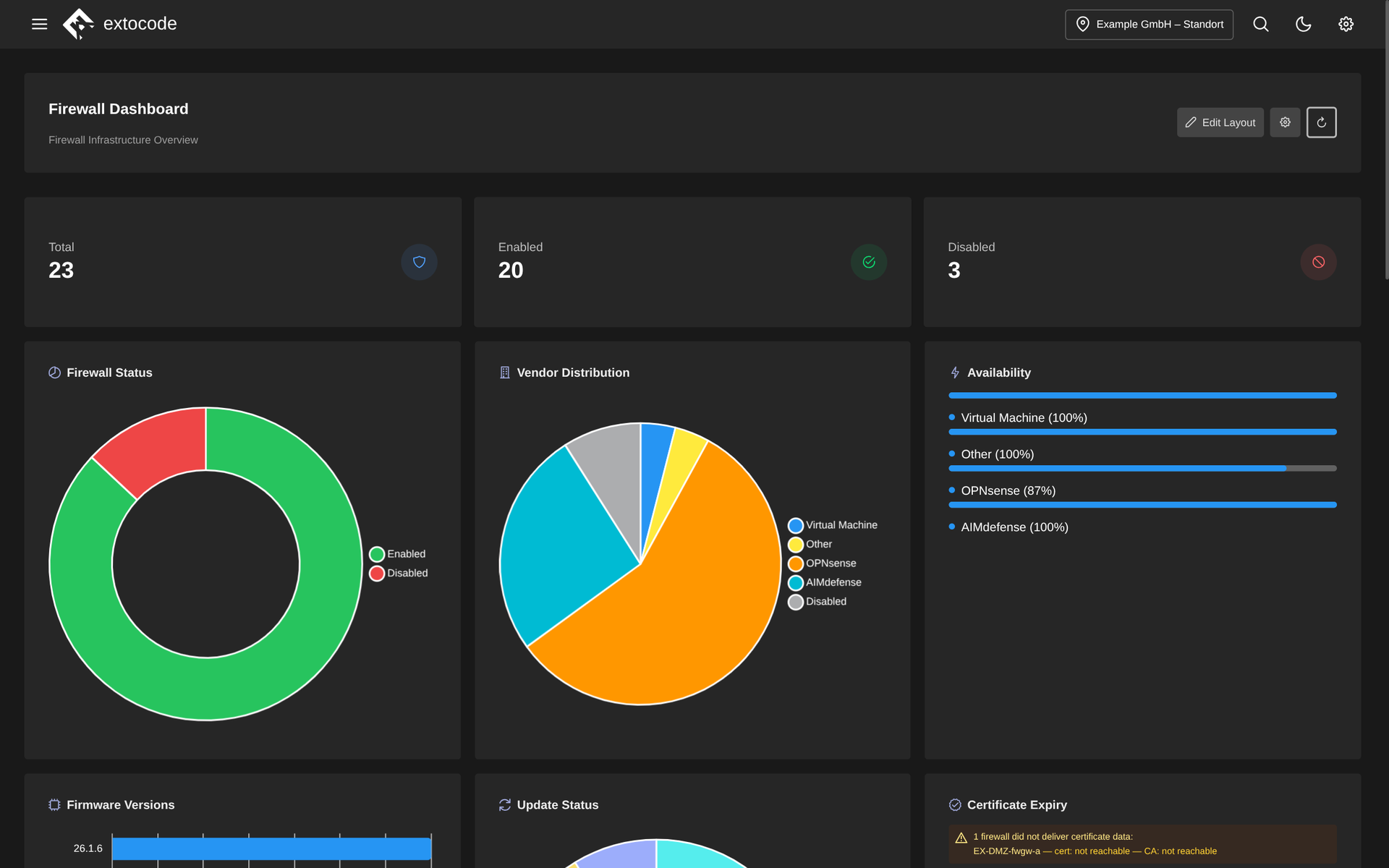
Firewall dashboard in COD: status of all firewalls (enabled/disabled), vendor distribution, availability by system type, firmware versions, update status and certificate expiry with warning. All at a glance.
Know the feeling?
Interface hopping: logging into every firewall GUI for each status check
The pain: Anyone looking after several sites or tenants soon manages a zoo of firewalls from different systems, each with its own web interface and its own credentials. For a simple status check or a firmware update, the admin logs into every device one by one.
The consequence: The daily GUI round eats time, updates get postponed, outdated firmware quietly turns into a security gap. And when audit questions come up, a reliable overall picture is missing.
How COD solves it: The firewall module brings AIMdefense, OPNsense, pfSense and DynFi together on a single multi-tenant interface. A cross-vendor status overview shows the status and firmware level of all firewalls at a glance, complemented by a regular automatic status and availability check.
Alias maintenance by hand: repeating the same change on every firewall
The pain: A new server, a changed network, and the same alias change has to be applied to every firewall individually. Over time the object inventories drift apart, and during a cleanup someone deletes an object that is still referenced elsewhere.
The consequence: Inconsistent rule sets are a constant source of errors and a potential security gap. A deleted but still referenced object silently turns a rule into a dead end. The manual work does not scale with the number of sites.
How COD solves it: COD provides a central alias repository: you maintain aliases (IPs, networks, ports) once, centrally, and write them back to the devices where needed. A safety check detects nested references across system boundaries and prevents the accidental deletion of objects still in use. Through the zone concept, COD automatically distributes new aliases to all firewalls in a zone.
A VPN tunnel goes down, and the user notices before IT does
The pain: Site-to-site connectivity runs on a grown mix of WireGuard, OpenVPN and IPsec. Nobody systematically checks whether a tunnel is up. The outage only surfaces when the branch office can no longer work. Home-built monitoring floods the inbox with individual mails until nobody looks anymore.
The consequence: Outages are detected late, troubleshooting drags across several GUIs and SSH sessions, and alert floods breed fatigue. Real outages drown in the noise.
How COD solves it: COD oversees WireGuard, OpenVPN and IPsec across vendors and across all sites, including a topology view and IPsec DPD status. Reachability monitoring (ICMP/TCP via fping) is configurable per tenant. Outages are detected and reported by e-mail with throttling: one mail per tenant instead of an inbox flood. For troubleshooting you open the SSH terminal right in the browser.
Why COD, not just a feature
COD replaces the round through four vendor GUIs with one multi-tenant interface across AIMdefense, OPNsense, pfSense and DynFi: one look instead of many logins. You maintain aliases centrally, zones distribute them automatically, and a reference check protects against silent errors. All on-premises, as part of the same platform as network, backup and monitoring.
Frequently asked questions
See the firewall module live
Request a live demo and see the firewall module with your firewalls in your own environment, or download the datasheet with all features compactly on one page.