Connection is more.
The modules are strong. The connections make the difference.
We replace nothing you want to keep. What you have stays. COD connects it. Where something is missing, COD brings its own building blocks that fit in.
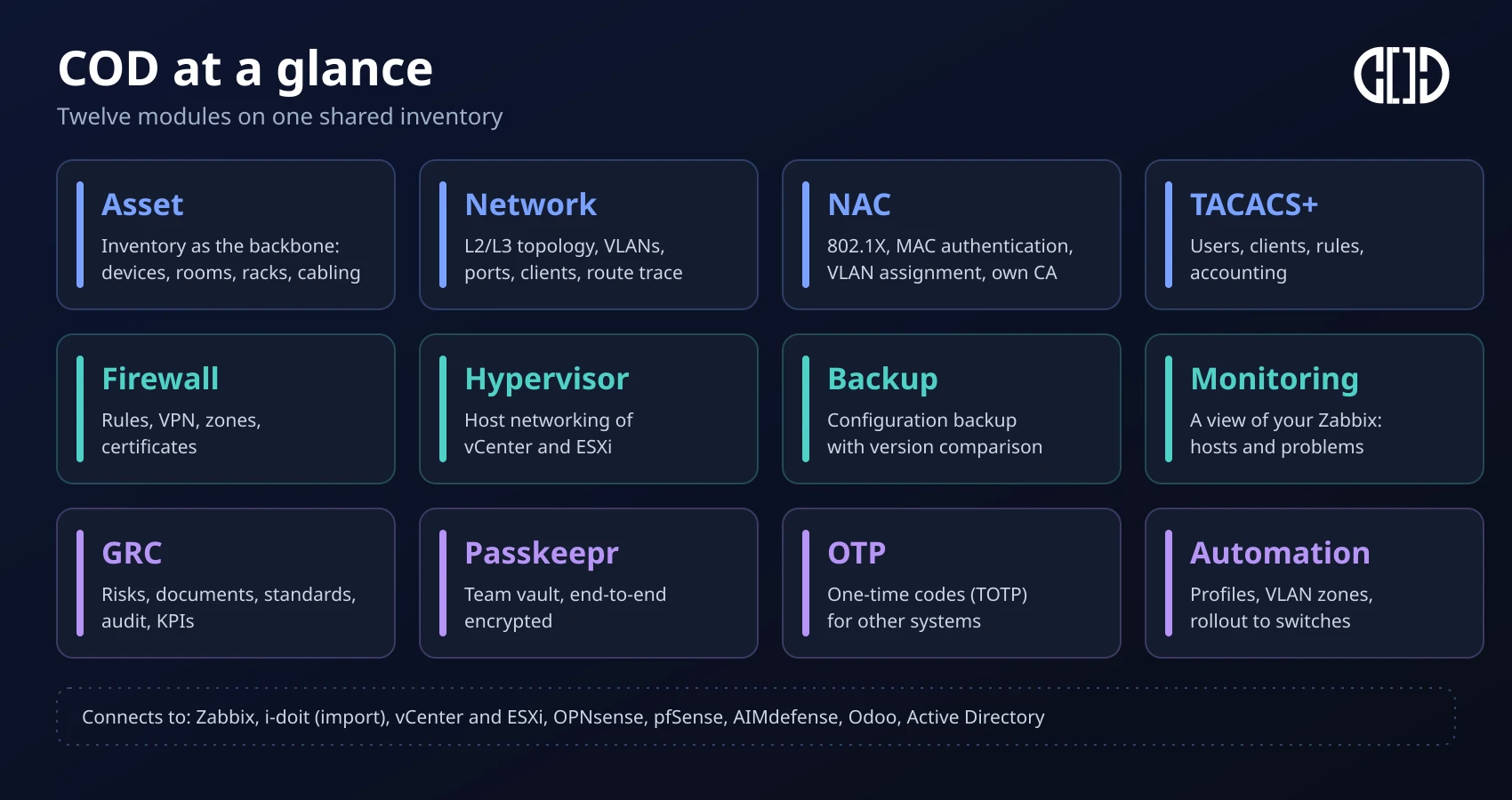
The Central Operations Dashboard (COD) is extocode's platform for IT operations. The asset is its backbone: network, firewall, monitoring and GRC all connect to it. One search and one location selection apply across the modules.
What connection means day to day
Four examples, each measured on screen in the demo.
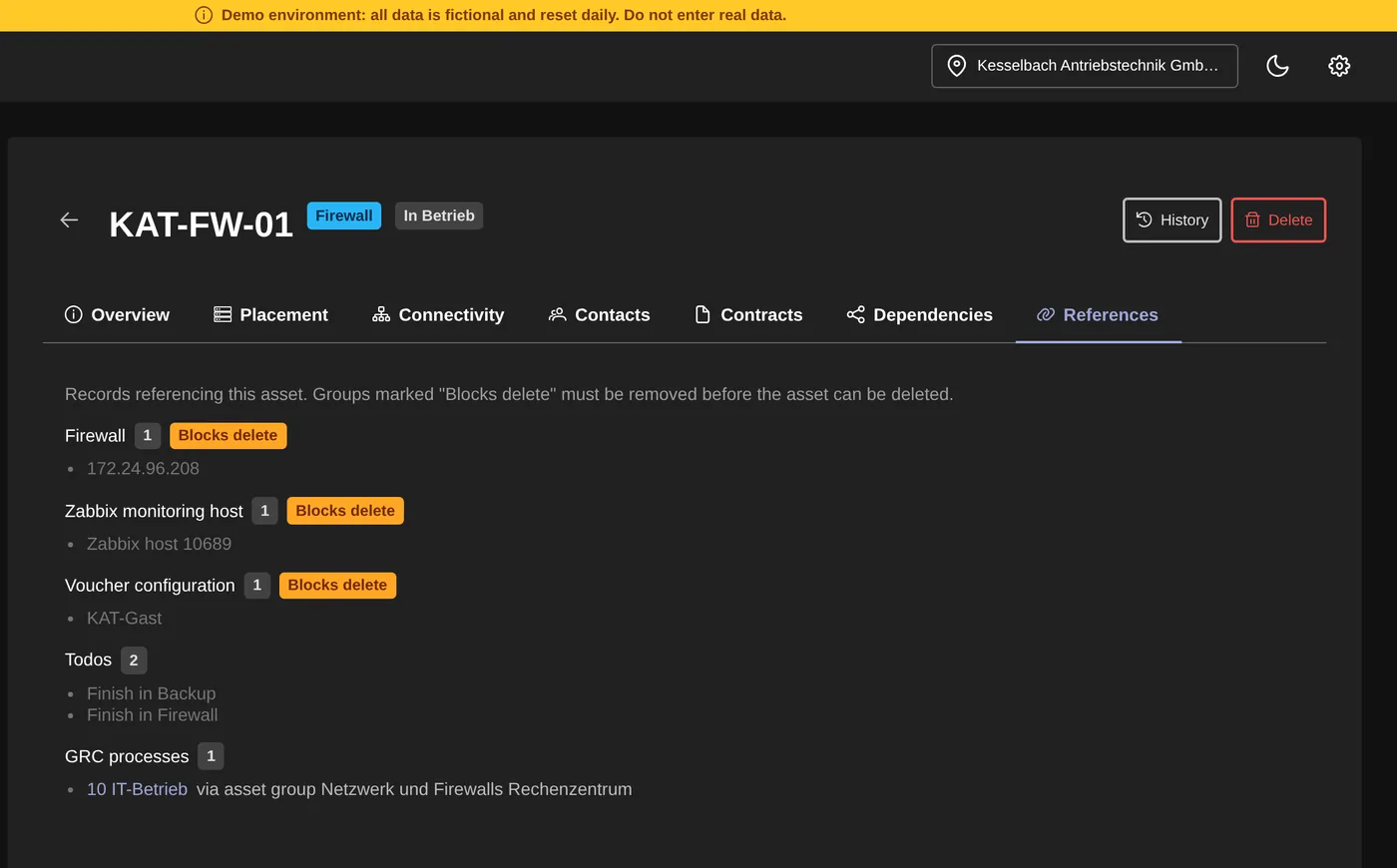
The device shows what is connected to it
The References tab on the asset lists every record that points to the device: firewall, Zabbix host, voucher, tasks. With GRC rights also the process. So you see what depends on it before you swap it.
One search across the modules
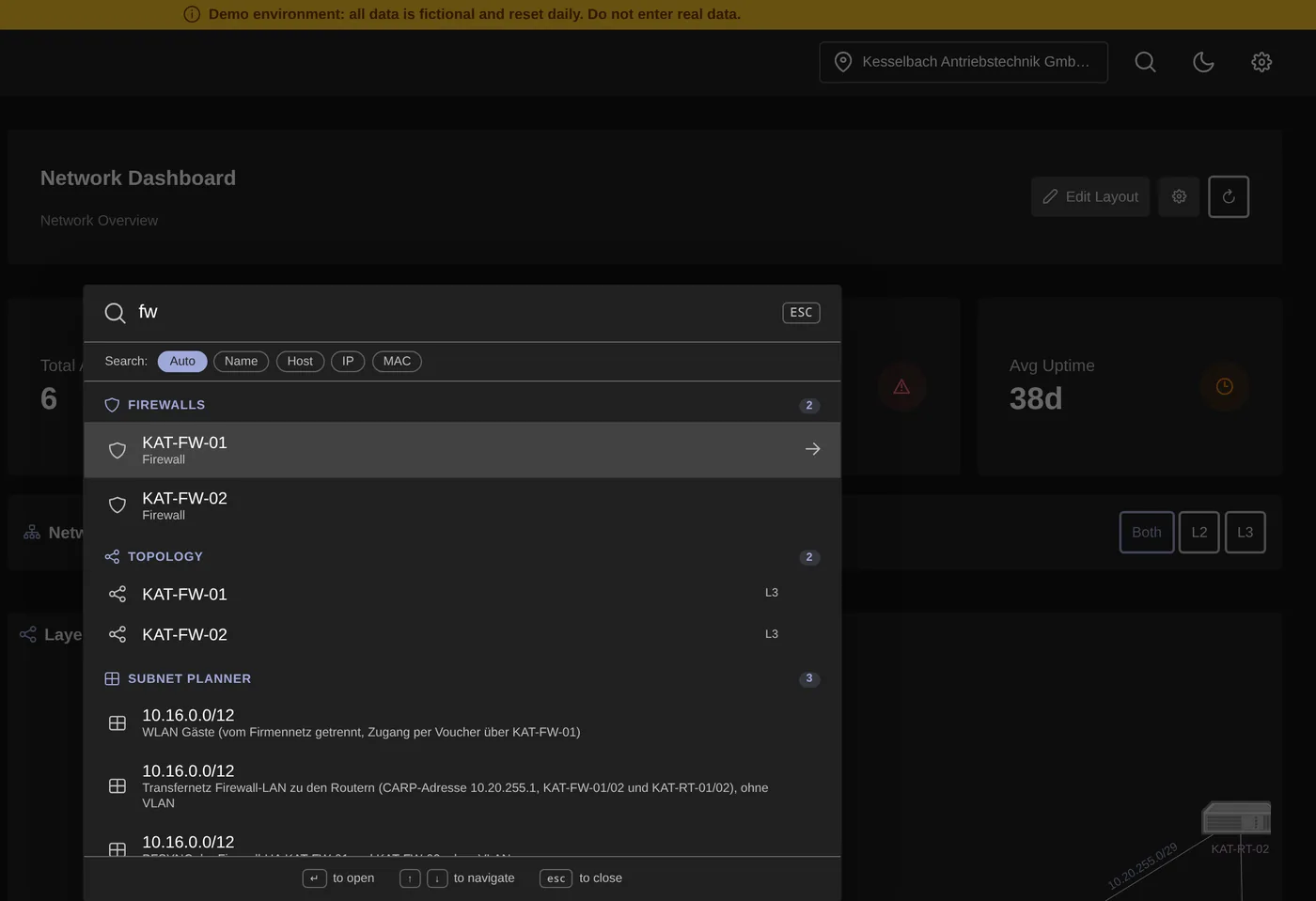
Type a name, an IP or a MAC. Results come from network, firewall, inventory, hypervisor and calendar, and a result opens the record. You search within the selected location.
The port knows the login
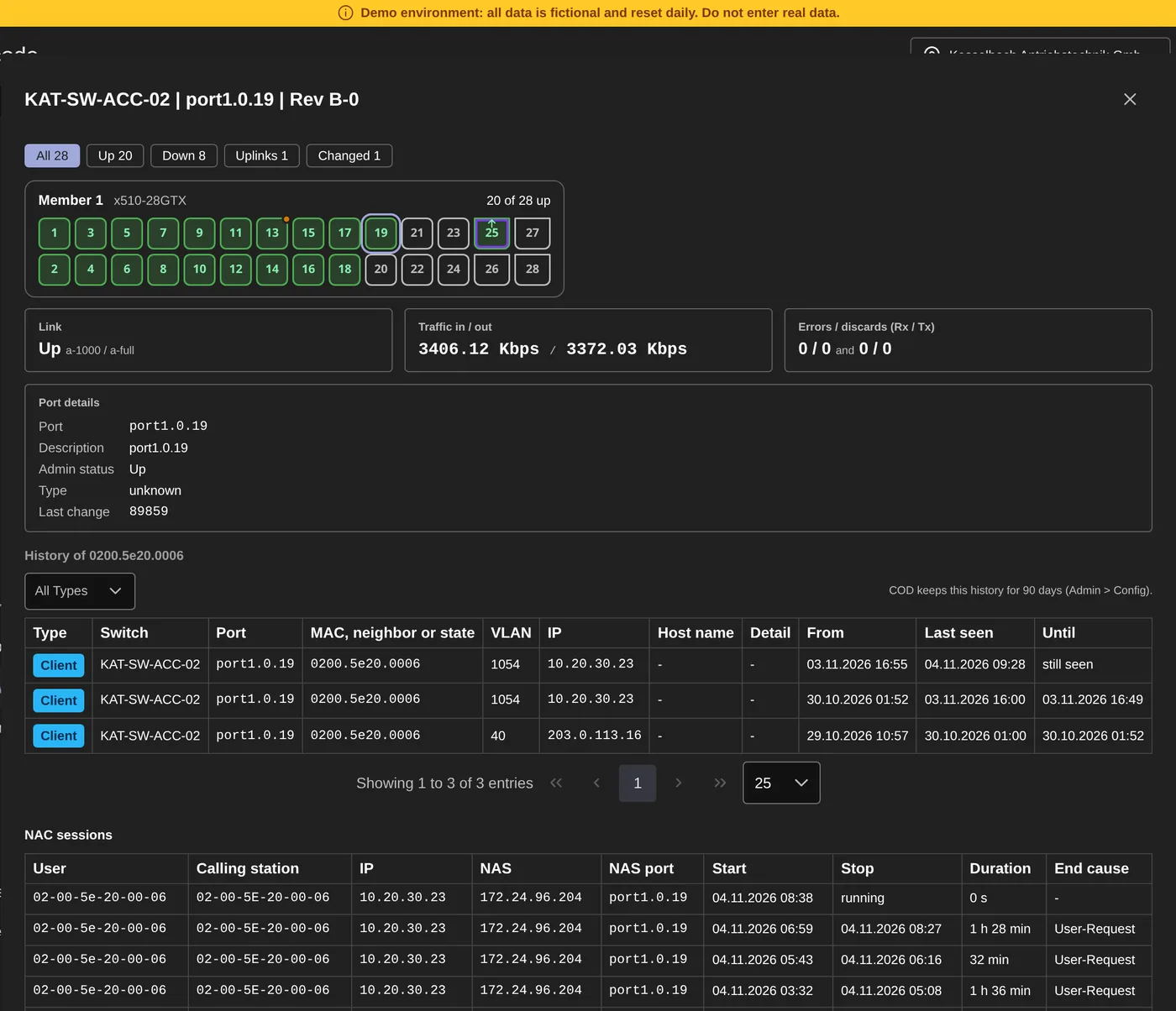
Under the port card you see what RADIUS reported about a device: user, MAC, IP, start, duration, end. If NAC knows no session, that is shown there too.
From device to process
Risks and registers in GRC point to the same assets. Processes, asset groups, assets and suppliers are in registers, and links pass on the level.
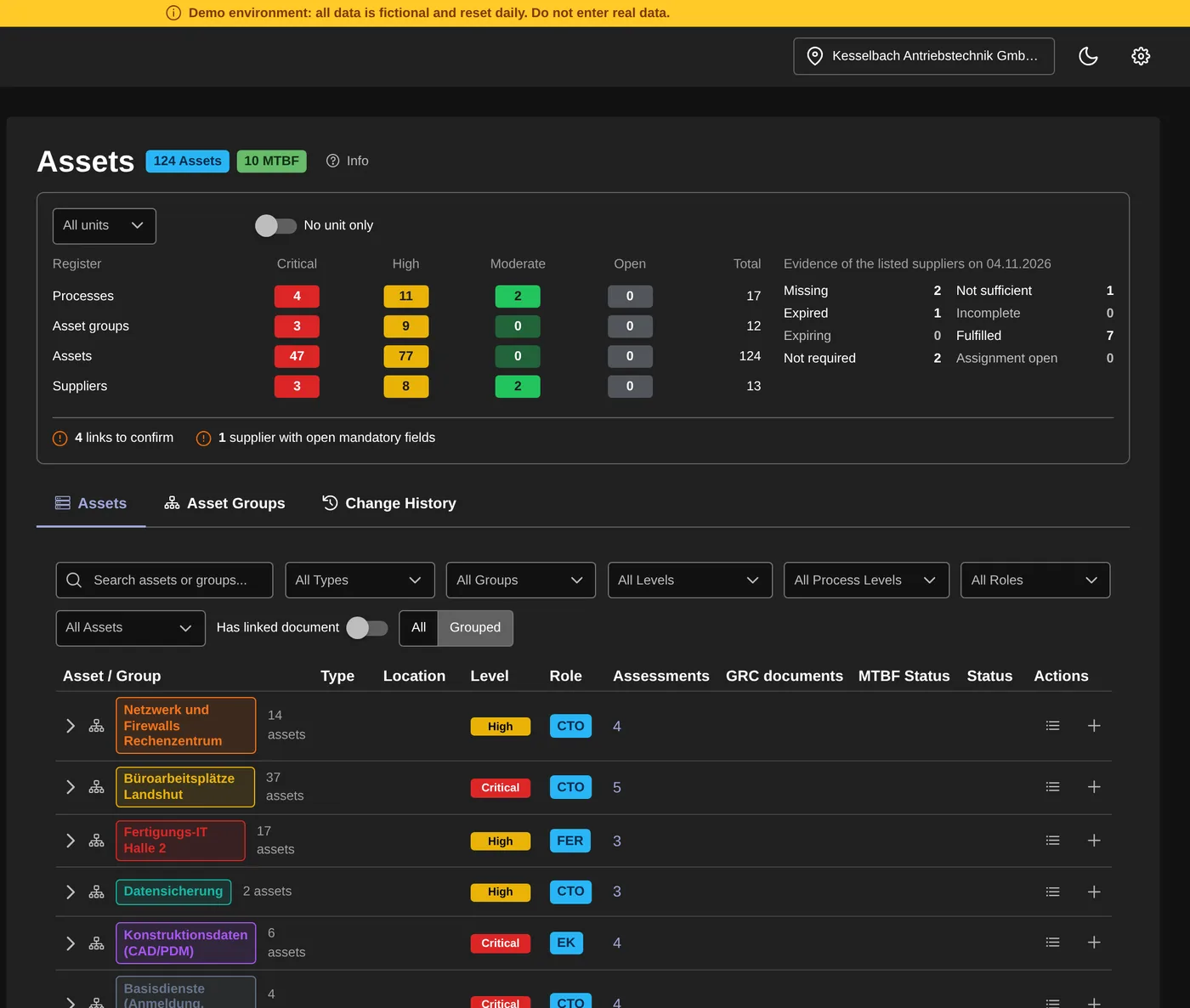
The interface is in English, the demo data belongs to a fictional company.
What stays, and what can be added
What you have stays
We replace nothing you want to keep. Zabbix, your firewalls, vCenter and ESXi, your switches, Active Directory and Odoo keep running. i-doit stays your CMDB, and COD reads from it. For each system, the Integrations page says in which direction COD works and where the limit is.
Where something is missing, COD brings building blocks
Passkeepr, NAC with its own certificate authority, TACACS+, Backup and GRC are part of the platform. Whether you use a building block is up to you.
All modules
Each module can be used on its own. All modules except the add-on COD-VAS are part of the platform.
Who COD is for
Medium-sized and large companies
Your IT consists of many systems and vendors. COD gives you one place where network, firewall, monitoring, backup and appointments come together.
Groups and organisations with several locations
Rights apply per module and location. Tenants and locations are separated logically and in their access rights.
IT service providers and MSPs
You look after several customer environments in one installation, separated by tenant and location. COD is sold through partners, and enquiries about that go to sales@extocode.com.
Three operating models
Data sovereignty by choice.
Self Hosted
COD runs in your infrastructure or your partner's, as a package for Ubuntu Server, not as a container. The operating data stays there, except for messages a user deliberately sends to extocode through the feedback channel.
Shared Hosted
extocode operates the instance for you and processes the data on your behalf.
Private Hosted
extocode operates an instance for you and processes the data on your behalf. You provide and operate the NAC component in your own network.
Which services you are entitled to is set out in the service description.
Click through it yourself.
Prefer a guided tour? Then we show you COD in person, without obligation.