One enable password the whole team knows, and the person who left keeps their access
Whoever logs in to switches, routers and firewalls often does so via local accounts or a shared password. COD manages your in-house TACACS+ server centrally: authentication, authorization and accounting according to RFC 8907, through a secured backend proxy. Multi-tenant, on-premises.
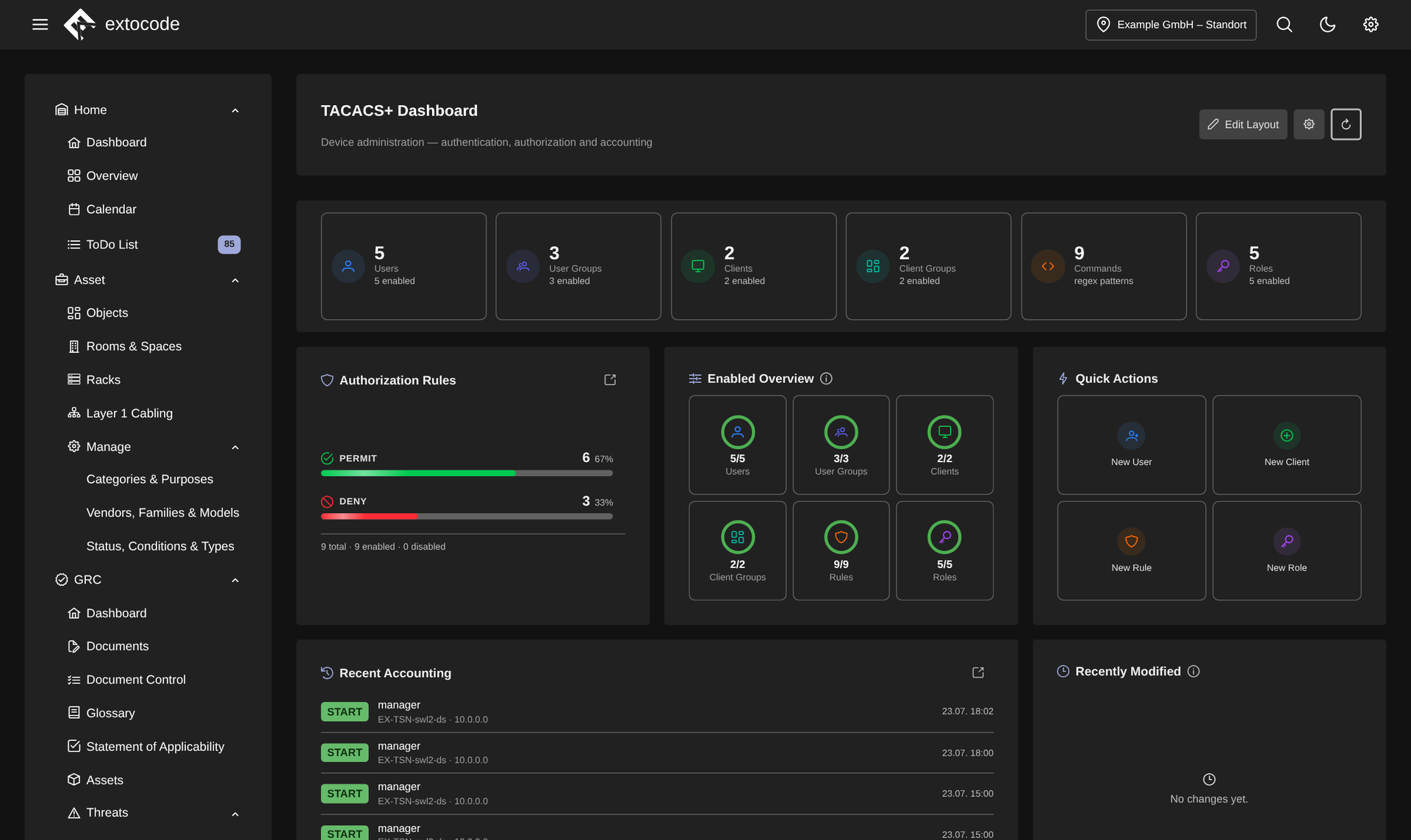
TACACS+ dashboard in COD: users, clients, rules and roles at a glance, with permit/deny distribution, quick actions and live accounting.
Know the feeling?
Every device has its own login: shared passwords instead of central AAA
The pain: Logging in to the network hardware runs through local accounts per device or a shared enable password everyone knows. Whoever leaves keeps their access when in doubt. Nobody reliably removes the account from dozens of devices by hand.
The consequence: Scattered accounts and shared passwords at the administration level are a tangible gap and a finding in a NIS2 or ISO 27001 audit, because neither access nor its revocation can be proven centrally.
How COD solves it: The TACACS+ module manages your in-house TACACS+ server according to RFC 8907 directly from the platform, through a secured backend proxy, with its own connection per site. You maintain users, user groups and your NAS devices in one place, assignments by drag and drop. The frontend never talks directly to the management API.
"Who may run which command?" On the switch it is all or nothing
The pain: Even with central login, the command level is often all or nothing. Controlling in fine detail which role may run which commands on which devices is tedious manual work. And whether a rule takes effect only shows in an emergency, on the real device.
The consequence: Overly broad permissions are a risk: a junior admin or a contractor accidentally issues a critical command. And because rules cannot be played through safely, nobody dares to tighten them properly.
How COD solves it: Under Access Control you define authorization rules (PERMIT/DENY), roles and pattern-based command sets: who may run which commands on which device group. The role simulator evaluates user × client × command against the real policy without contacting anything real: you see in advance whether a combination is permitted or denied. The role coverage matrix makes gaps visible.
"Who changed that on the switch?" And there is no log
The pain: When something got changed on a switch, the questions start: who, when, from where, and what exactly? Without central accounting the answer sits at best in local device logs nobody consolidates, or it can no longer be reconstructed at all.
The consequence: Without a verifiable session history every root-cause analysis drags on, and in an audit the proof of administrative access is missing, a classic finding in the NIS2/KRITIS context.
How COD solves it: The accounting logs every session by who, what, where and when, with filters and expandable detail rows (port, remote address, privilege level). Through the switchable live log you follow administrative access in near real time. The dashboard summarizes health, coverage and activity as a customizable widget grid.
Why COD, not just a feature
COD manages your own TACACS+ server instead of shifting AAA into a third-party cloud: the server stays with you, and the frontend talks to the management API exclusively through the secured backend proxy. Multi-tenant and on-premises, with its own connection per site. And the role simulator only exists in this form because roles, clients and policy come together in one place.
Frequently asked questions
See TACACS+ live
Request a live demo and see the TACACS+ module hands-on in your own environment, or download the datasheet with all features compactly on one page.