
Status of this post: COD 3.8.5, November 2026. Later versions may differ. For the current feature status see the roadmap.
You can now look at COD without making an appointment. At cod.demo.extocode.com, COD 3.8 runs with the data of a fictional industrial company. You need a browser and about ten minutes. The access details are on extocode.com/demo.
A company to touch
The demo manages Kesselbach Antriebstechnik GmbH. The company is fictional. It has a headquarters in Landshut and a site in Straubing. Switches, firewalls, printers, suppliers, risks and people are made up. The data hangs together like in a real operation. The same device shows up in the network, in monitoring and in the GRC register.
Three accounts, three points of view
- Demo First Level and Demo Second Level show operations: assets, monitoring, network, TACACS+, NAC, firewall, hypervisor and backup. In the demo, both accounts see the same modules.
- Demo GRC shows the assets and the area Governance, Risk and Compliance. With this account you do not see network technology or monitoring.
Signing in
Open the demo. The sign-in window opens on the tab "Standard". If you have signed in with LDAP in this browser before, you see the tab "LDAP" and then choose "Standard". User name and password come from extocode.com/demo. The field "OTP" stays empty.
The demo is a shared playground. Other visitors are signed in at the same time, and your entries are visible to them. Every night around midnight we reset the demo. Please do not enter real data. The interface is in English, the sample data is mostly German.
Walkthrough 1: Operations, where does the device hang?
Sign in with Demo First Level.
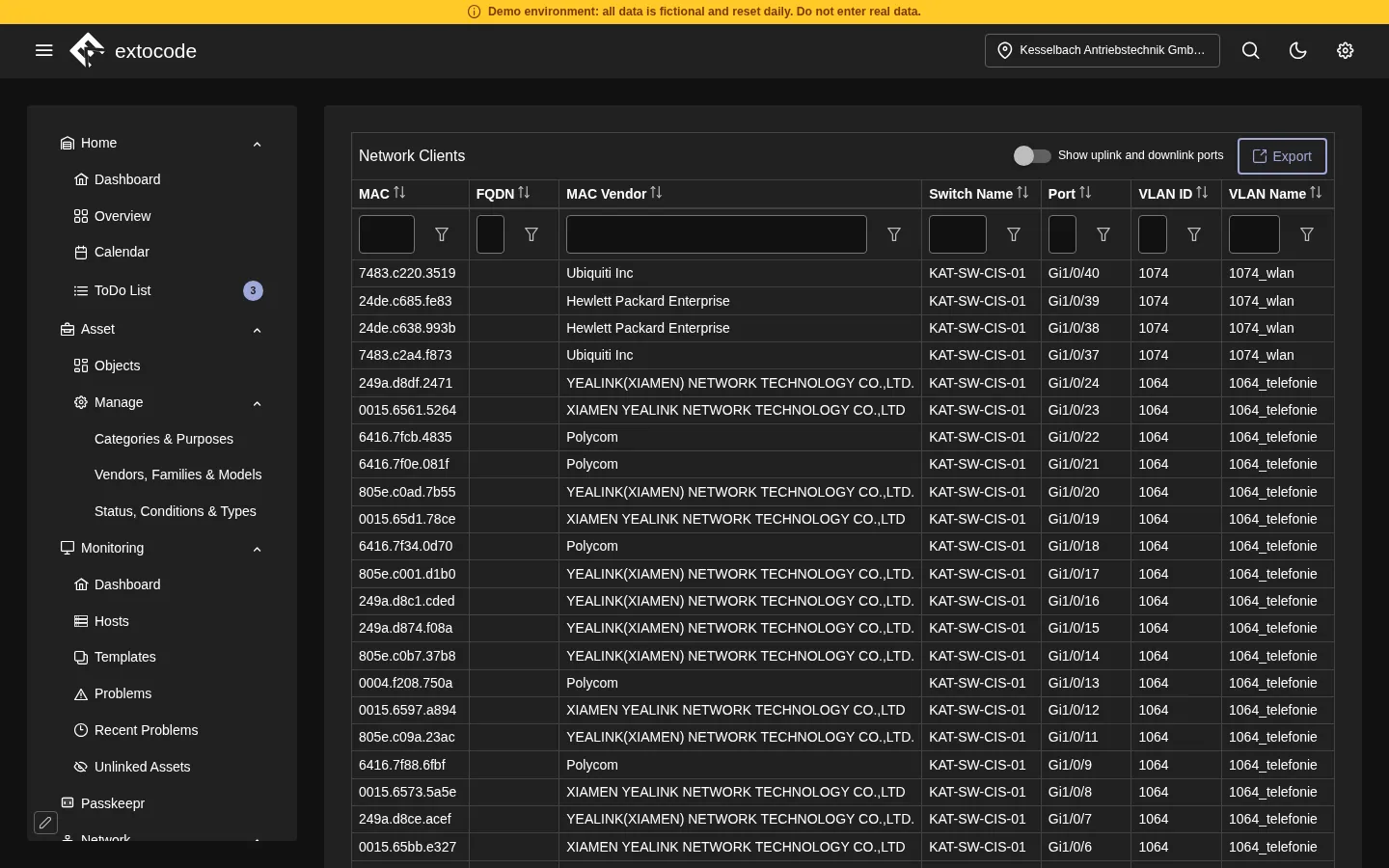
- Open Network, Client Overview. For every MAC address you see the switch, the port, the VLAN ID and the VLAN name. You will find phones in the telephony VLAN and printers in the printer VLAN, for example.
- Click a row. The dialog shows the port map of the switch, and below it the NAC sessions of this client. Next to it is its history.
- Open Monitoring, Hosts. The demo lists 11 hosts, including the switches, the routers, the two firewalls and the Zabbix server itself.
- Open Network Access Control, Clients. The list names printers, operator panels, industrial PCs, machine controllers and IP phones that are admitted to the network.
Walkthrough 2: Network and security, the bigger picture
This walkthrough works with Demo First Level or Demo Second Level.
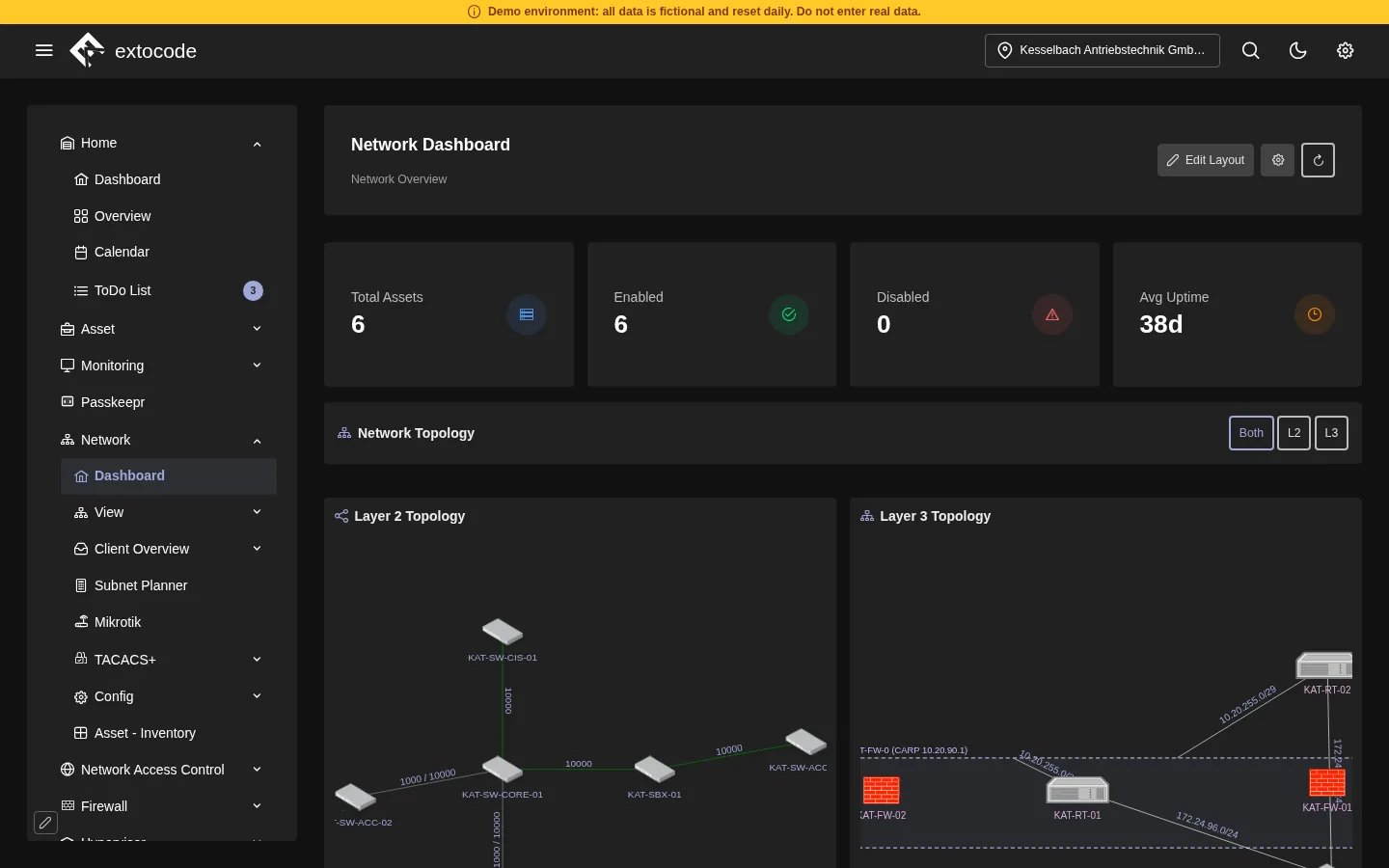
- Network, Dashboard shows the Layer 2 and the Layer 3 topology on one page.
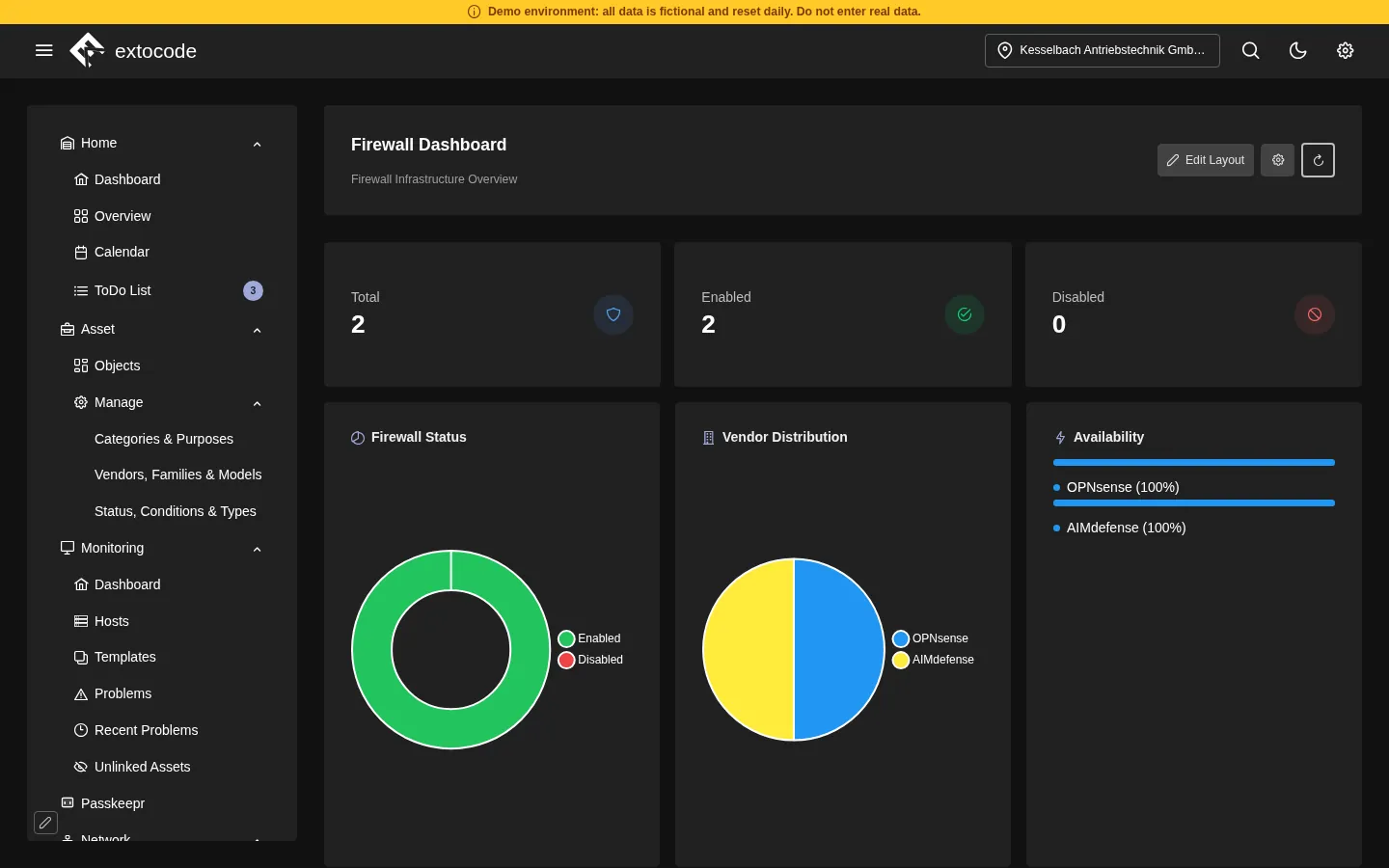
- Firewall, Dashboard sums up two firewalls, an OPNsense and an AIMdefense. It also shows the certificates that expire soon and 8 VPN connections: 1 WireGuard, 3 IPsec and 4 OpenVPN.
- TACACS+, Dashboard shows 6 users, 5 clients and the latest sessions at the switches.
- Backup, Dashboard shows which hosts are backed up. At the time of reading it was 8 of 8.
Walkthrough 3: Information security, from risk to evidence
Sign in with Demo GRC.
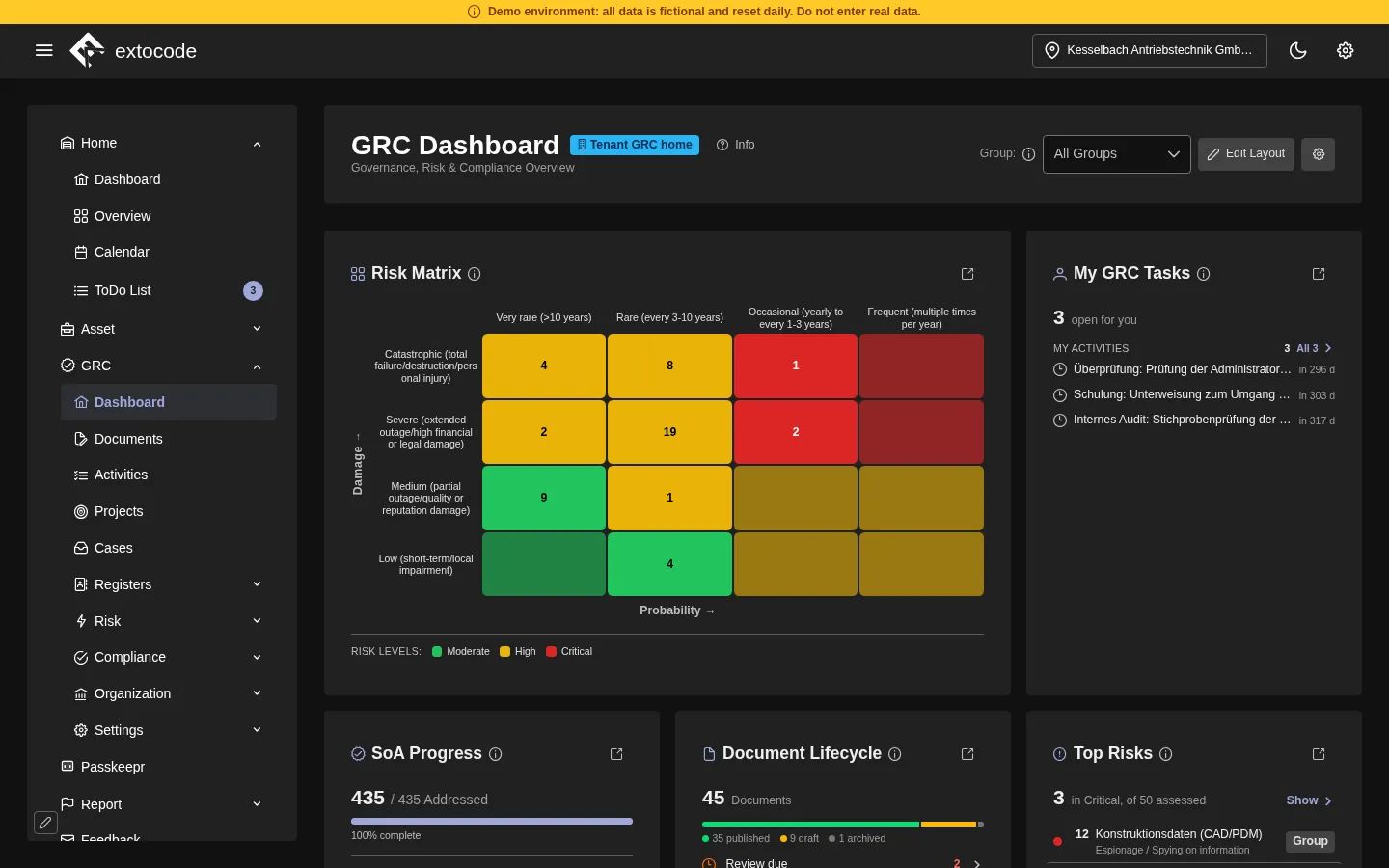
- The GRC dashboard starts with the risk matrix of damage and probability. At Kesselbach there are 50 risk assessments, 3 of them in the critical range. Next to it are the state of the Statement of Applicability (SoA) and the life cycle of the documents.
- Under Suppliers, every supplier shows which evidence it owes and where it stands. On 4 November 2026 the overview counts for 13 suppliers: 7 fulfilled, 2 not required, 2 missing, 1 not sufficient and 1 expired. COD names the next step.
- Under Reports you find the reports for audit and management: risk inventory, Statement of Applicability, KPI report and the evidence of a catalogue for the BSI or the Bundesnetzagentur. How the NIS2 view in the SoA looks is the subject of a post of its own.
The figures in the walkthroughs are a snapshot of 4 November 2026. They change when the demo data is maintained.
What the demo shows and what it does not
The demo shows the interface and how the modules work together, with sample data. It does not show how COD connects to your infrastructure. Some things are not possible or not visible in the demo:
- the Admin Area with users, roles, audit and access review. These pages are closed to demo accounts.
- Passkeepr, the vault of COD. In the open demo you see the menu entry and the unlock screen. Passkeepr cannot be set up there.
- modules that not every installation has, such as the old OTP module or VAS.
The demo also answers no questions about operation, licence or the connection to your directory. For that there is the personal walkthrough. We show COD live, on request with scenarios from your environment. It is free and without obligation.
Which functions your contract covers follows solely from the service description in the version that applies to your contract.
Try it now
- Demo: cod.demo.extocode.com, access details on extocode.com/demo
- Personal walkthrough: extocode.com/demo
What is missing in the demo? What is unclear? Write to us through the contact options on extocode.com/demo.
extocode GmbH · Central Operations Dashboard